

Back in May 2024, I wrote about My Home Internet Setup with Unifi for the first time. Despite having run a UniFi network for years, I'd never actually sat down and documented the whole thing. A lot has changed since then. New access points, new cameras, a proper NAS, cellular backup, and a travel router that goes everywhere with me. It felt like time for an update.
If you're curious about the basics (why UniFi, how it all connects, what the UDM Pro actually does), that original post still covers the fundamentals. This one is about what's new and why the system keeps getting better.
The Gateway
The heart of everything is still the UDM Pro. It's the router, the security gateway, the controller for every device, and the NVR for all my cameras. It lives in a structured closet in our house and has been rock solid.
The biggest change at the gateway level is how I handle internet failover. In my last post, I was using a NetGear M6 Pro with US Mobile as a backup WAN. That worked fine, but not as well integrated into the Unifi world I've since replaced it with the UniFi U5G Max, a 5G modem that plugs directly into the UDM Pro and runs on T-Mobile as cellular backup. It's all managed from the same UniFi interface. One less thing, one less app, and the failover is seamless. When CenturyLink has hiccups (and it does), the network switches over to cellular without anyone in the house noticing.
Access Points: The Upgrade to Wi-Fi 7
This is where the most visible changes happened. My original setup was a mix of U6 Long-Range, U6 Lite, U6 Mesh, and a U6 In-Wall. They were great. But Ubiquiti's Wi-Fi 7 lineup is genuinely better, and I've been upgrading room by room.
Here's what the current AP lineup looks like:
U7 Pro is in the kitchen, which is the center of our house and where devices tend to congregate. Wi-Fi 7 with 6 GHz support. It replaced a U6 Long-Range and the improvement in throughput has been noticeable, especially for the devices that support Wi-Fi 6E and 7.
U7 Lite is installed in the home theater. A solid Wi-Fi 7 AP at a much lower price point than the Pro. Perfect for a room that mostly needs to stream reliably to an Apple TV.
U7 Outdoor replaced my old AC Mesh Pro that was handling the front yard and garden. The coverage is dramatically better, and it handles Seattle rain without complaint.
U6 In-Wall is still in the living room, installed over a single gang low voltage outlet. This one didn't need upgrading. It provides great coverage for that area and includes a built-in switch port, which is handy.
U6 Long-Range is still in the garage. The LR range handles the distance well and covers the driveway.
U6 Mesh is still in the main bedroom, sitting on a bookshelf. I'll probably swap this for a U7 eventually, but it's working perfectly.
The beauty of the UniFi system is that you can upgrade one AP at a time. You don't need to rip and replace everything. Swap a single unit, adopt it in the controller, and the network just keeps running.
Switches: 2.5 Gigabit Over Cat 5e
My house came wired with Cat 5e. Some people will tell you that you need Cat 6 or Cat 6a for anything beyond gigabit. In practice, I'm running 2.5 Gbps over Cat 5e to several devices without any issues. The cable runs in my house are all under 50 meters, and at those distances, Cat 5e handles 2.5GbE just fine.
The switch lineup:
USW Pro Max 16 PoE is the backbone. I have two of these. One in the structured closet and one in the family room. They provide 2.5GbE on four ports, PoE+ for the access points and cameras. They replaced my older USW-16-PoE switches and the jump to 2.5G across the board was worth it. Generally 2.5GbE is now my "backhaul" wiring with a few devices taking advantage of it.
USW Flex 2.5G 8 PoE fills the gaps. Two of these as well. One in the structured closet for overflow and one in the garage. Compact, fanless, 2.5GbE with PoE on all 8 ports. These are great for places where you need a few ports but don't want a full rack switch.
USW Lite 8 PoE lives in the home theater. Handles the Apple TV, the receiver, and the U7 Lite access point. Quiet and compact.
USW Flex handles the outdoors. Two of these, one on the south side and one on the north. They're weatherproof and PoE-powered, so a single ethernet run from inside the house gives you a switch plus power for outdoor cameras and the outdoor AP.
Cameras: UniFi Protect
The camera system has grown since my last post. Everything records to the UDM Pro with a 12TB drive, and UniFi Protect's AI detection (people, vehicles, packages, animals) has gotten meaningfully better over the past two years.
Current cameras:
G4 Doorbell Pro Package detection is genuinely useful. It's wired PoE, so no battery anxiety.
G4 Pro This is the OG flagship, with 4K and optical zoom. Great image quality day and night.
G6 Pro Bullet Covering the alley. The G6 line is Ubiquiti's latest and the image quality and AI features are a step up from the G4.
G3 Flex I still have three of these: Not 4K, but 1080p is plenty for these locations, and they're incredibly affordable.
G3 Instant Wi-Fi connected, no ethernet needed. This is the easy indoor camera for keeping an eye on things when we're away.
Smart Flood Light combines a camera and flood light in one. Motion-activated lighting and recording. These are great for spots where you'd want a light anyway.
Storage: UNAS Pro
This is a totally new addition. The UNAS Pro is Ubiquiti's network-attached storage device, and I'm using it primarily as a Time Machine backup target for all the Macs in our house.
Having centralized, automatic backups that just work over the network without plugging in an external drive is the kind of thing you don't appreciate until you need it. I configured it once and haven't thought about it since. Every Mac in the house backs up silently. It's also fast, and sitting on the 2.5GbE network means backups don't take forever.
The Travel Router
I wrote a dedicated post about the UniFi Travel Router, so I won't repeat everything here. The short version: it's $79, credit-card sized, broadcasts your home Wi-Fi network name so all your devices auto-connect, and has built-in Teleport VPN that tunnels back to your home network. Pay for airline Wi-Fi once and share it across all your devices. Access your streaming services overseas without commercial VPN headaches. It's become one of my essential travel items.
Accessories: The Little Things That Matter
One area where Ubiquiti has quietly gotten really good is accessories. I'm not talking about rack mounts or camera brackets (though those are great too). I'm talking about the cables themselves.
The USB-C Cable with Charge Display is one of those products that makes you wonder why every cable doesn't work this way. It's a braided USB-C cable with an integrated power meter built right into the connector. Plug it in and a small double-sided display shows you exactly how many watts are flowing to your device in real time. 100W max output, so it handles laptops and tablets without breaking a sweat. At $19 it's not the cheapest USB-C cable you'll buy, but it's the one you'll reach for every time because you can actually see what's happening. I keep one on my desk and one in my travel bag.
For ethernet, Ubiquiti makes two cables worth knowing about. The UniFi Premium Patch Cable is a braided Cat 6a cable that supports 10 GbE and is only 3mm thin. The braided jacket feels premium, the translucent boots are designed for Etherlighting (which illuminates the RJ45 port to show link status), and it's available in lengths from 15cm to 15m. Starting at $4.99, they're affordable enough to rewire your whole setup.
If you don't need 10 GbE, the standard UniFi Patch Cable starts at just $2. Same ultra-thin 3mm profile, but with flexible bendable boots that make tight installations much easier. GbE rated, PoE+++ compatible, and available in white, blue, or black. I've replaced every random cable in my closet with these.
These aren't the kind of accessories that make or break a network. But they're the kind of details that show Ubiquiti is thinking about the whole experience, not just the big hardware.
The Full Device List
For the gear-curious, here's everything on my network today:
Gateway: UDM Pro
Internet: CenturyLink 1GB Fiber (primary), T-Mobile 5G via U5G Max (cellular backup)
Access Points: U7 Pro (kitchen), U7 Lite (home theater), U7 Outdoor (front yard), U6 In-Wall (living room), U6 Long-Range (garage), U6 Mesh (main bedroom)
Switches: 2x USW Pro Max 16 PoE, 2x USW Flex 2.5G 8 PoE, 1x USW Lite 8 PoE, 2x USW Flex (outdoor)
Cameras: G4 Doorbell Pro, G4 Pro, G6 Pro Bullet, 3x G3 Flex, G3 Instant, Smart Flood Light
Storage: UNAS Pro
Travel: UniFi Travel Router
Modem: U5G Max (T-Mobile 5G)
That's 27 UniFi devices on one network, all managed from a single app.
Why I Keep Choosing UniFi
I get asked about home networking a lot. People want something that's better than the all-in-one router from their ISP but don't want to become a network engineer. UniFi hits that sweet spot. The hardware is excellent, the software is clean and continually improving, and once it's set up, you can leave it alone for months. It just works.
Is it overkill for a house? Probably. Do I love it? Absolutely. The reliability, the single pane of glass management, the ability to upgrade incrementally. It's exactly the kind of system that rewards a little upfront investment with years of not thinking about your network.
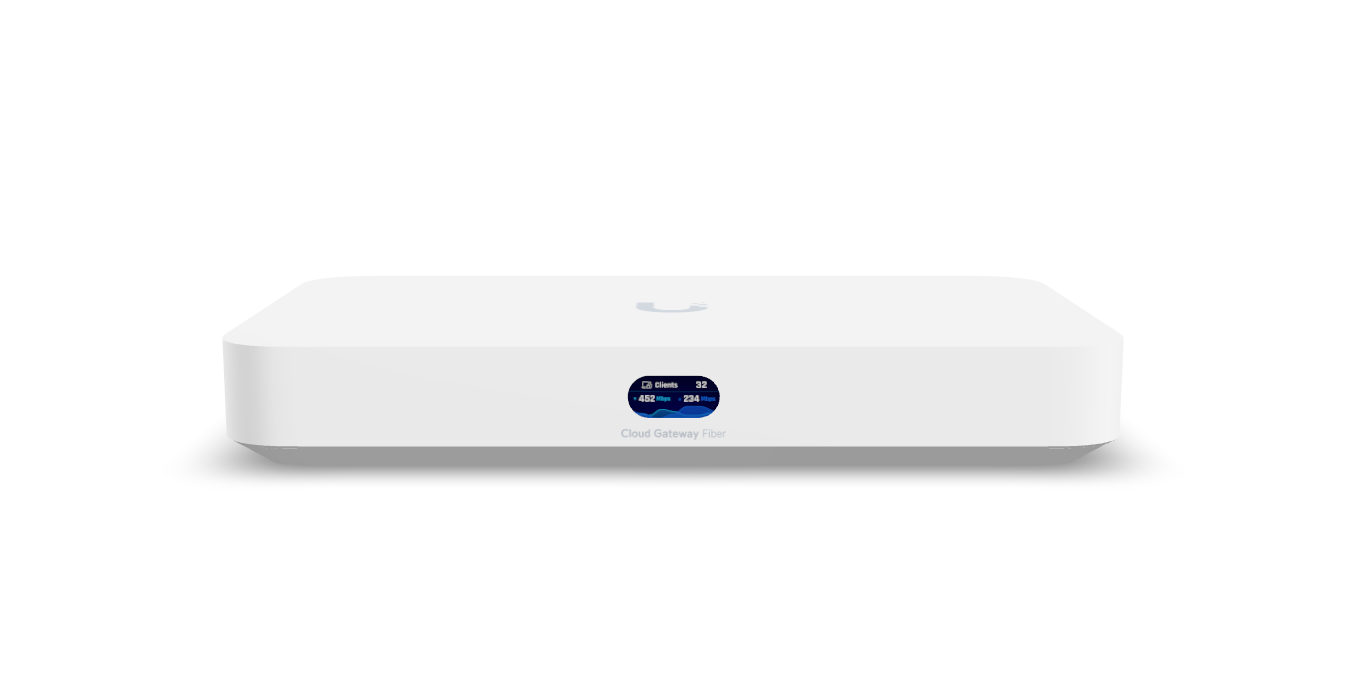
If you're just getting started and don't need rack mount, the new Cloud Gateways are the way to go. The Dream Router is still a great entry point, but the Dream Router 5G Max is the one I have my eye on for our cabin. It's an all-in-one solution: gateway, Wi-Fi 7 access point, and 5G cellular failover in a single device. Perfect for a location where you want great coverage without a full network stack. If you want a step up with more ports and throughput, the Dream Machine Special Edition gives you PoE, a larger SSD for Protect, and 2.5 GbE WAN. You can grow from there at your own pace. That's the beauty of the platform.
Feel free to ask me any questions in the comments. Enjoy!
Say! This is awesome! Thanks for sharing.
I’m wondering if you have tried using the teleport feature you described to hard connect two different physical home networks? I want to have Netflix at al stop being confused when I stream media from a second home (I realized this is a ridiculous rich person issue 😂)
Great stuff. I have the fiber and the travel router, and a stack of access points and smaller stuff. You have a picture of the Cloud Gateway Fiber, but you don’t mention it in your closing. Great price for 10G (1 is plenty, I only have 2gb, but you never know…)