

For the past few years I have kept a password protected Word Document that is titled “In Case of Emergency.docx”. It has instructions for my family, or kids to follow if something happens to me and or my wife.
In this document are details about how to “inherit” all the digital and financial “stuff” that one invariably has as well as contacts for various people. A few years ago, when my father passed away, I had already taken measures to ensure all his passwords, accounts and information were stored in 1Password and his assets all titled in a Living Trust and that my Mother, Sister and I had Power of Attorney. This made the transition a lot easier.
But my kids are young and we have complex finances and my “digital” life has a lot of complexity such as domain names, household IoT devices, Subscriptions and so on. Most of this is tied to “me” and my email or phone number. This is not easy to just “transfer” to someone else.
The problem with the document approach was that I never do a good job updating it and I hate that it’s so cumbersome to work with.
EstateHelm
My long time coworker and friend Emmanuel texted me a few weeks ago about a web app he built called EstateHelm. He told me about the robust security it employed and how he was looking for feedback.
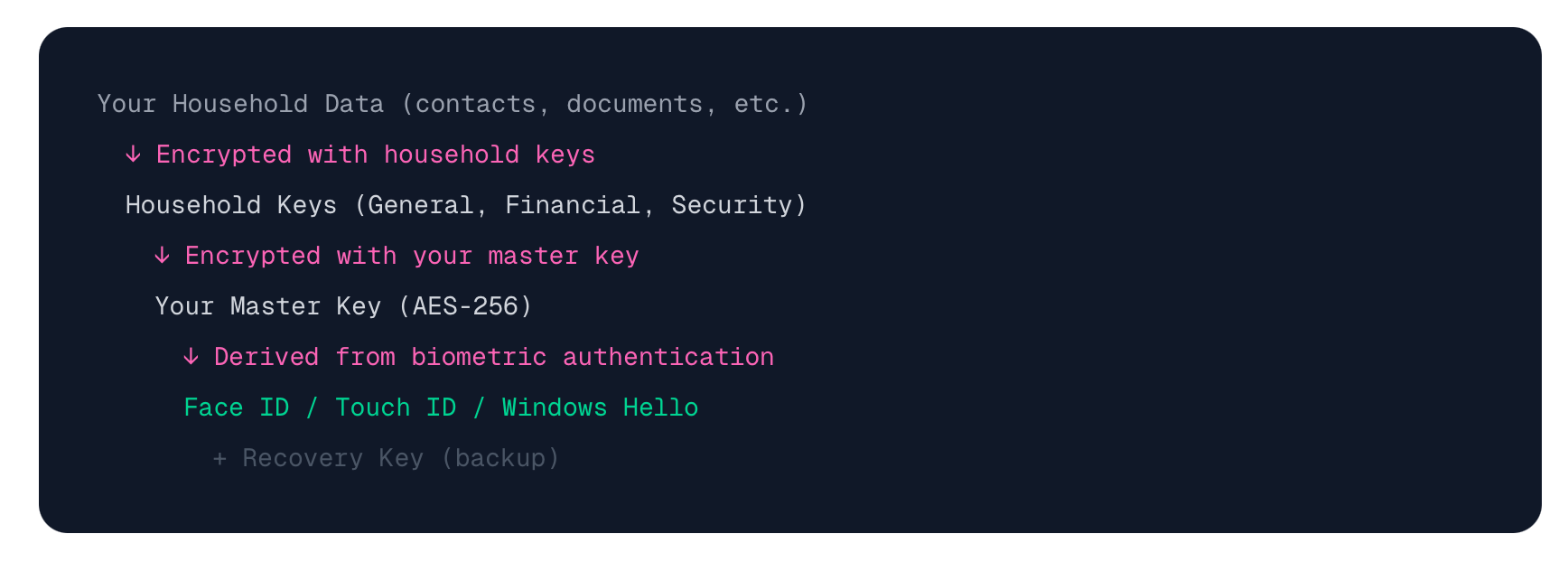
Security approach (read more here).
I immediately dove in and for the next few weeks I sent him tons of ideas of how I would want this to work.
EstateHelm has grown to have so many features now. How I am using it:
Managing our two homes, including all the maintenance and services tasks associated with each one. This allows everyone in our household to know what has to happen when.
Storing all our Estate Documents such as Wills, Trusts, Powers of Attorney
Storing all information about our Pets
Storing all your subscriptions
Cataloging Insurance policies
All our valuables, fine art, cameras, lenses and more.
Cars - insurance, maintenance
Emergency Contacts
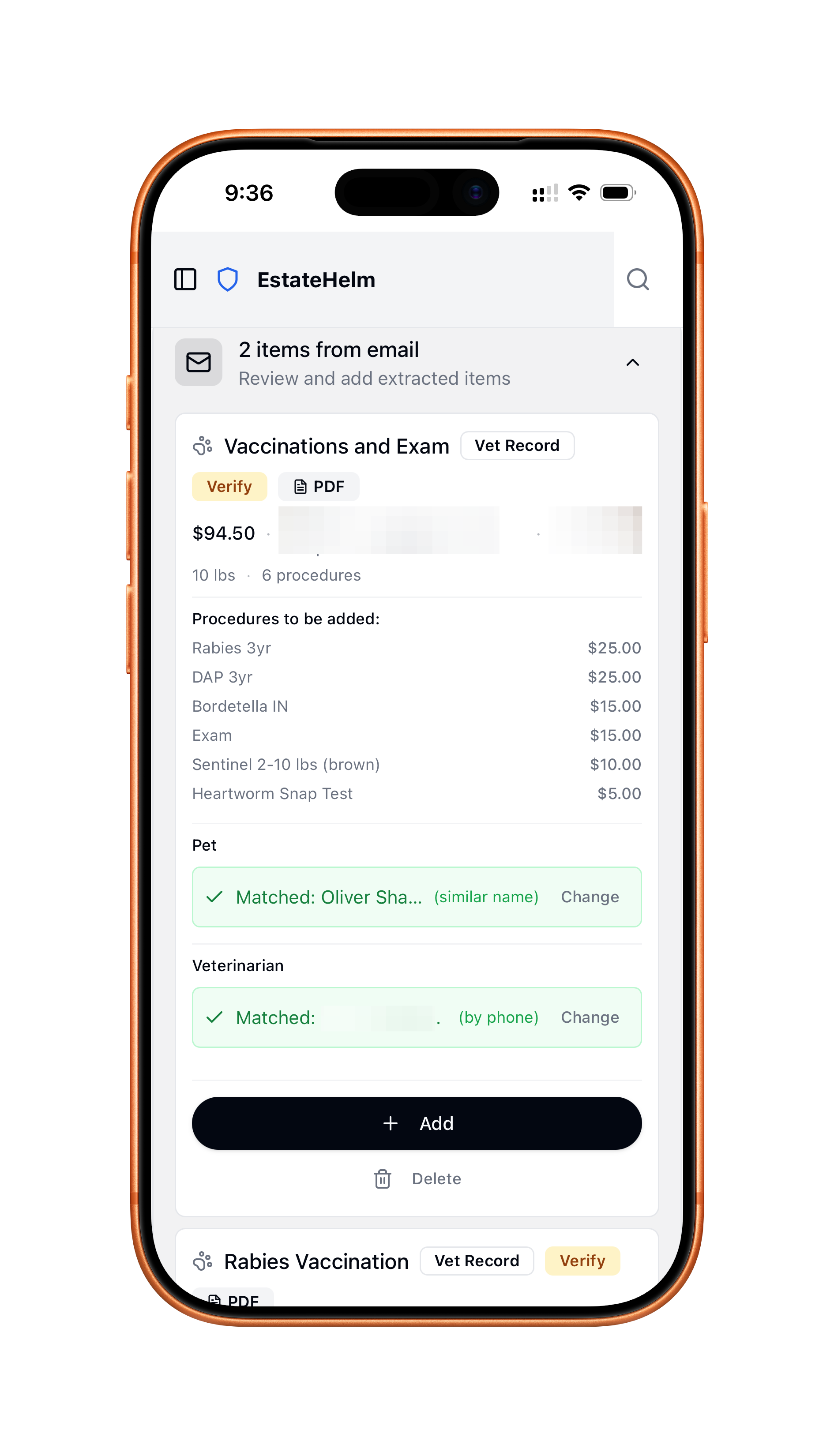
Adding items is super easy with email forwarding. For example I sent EstateHelm a Vet record and here is what it did:
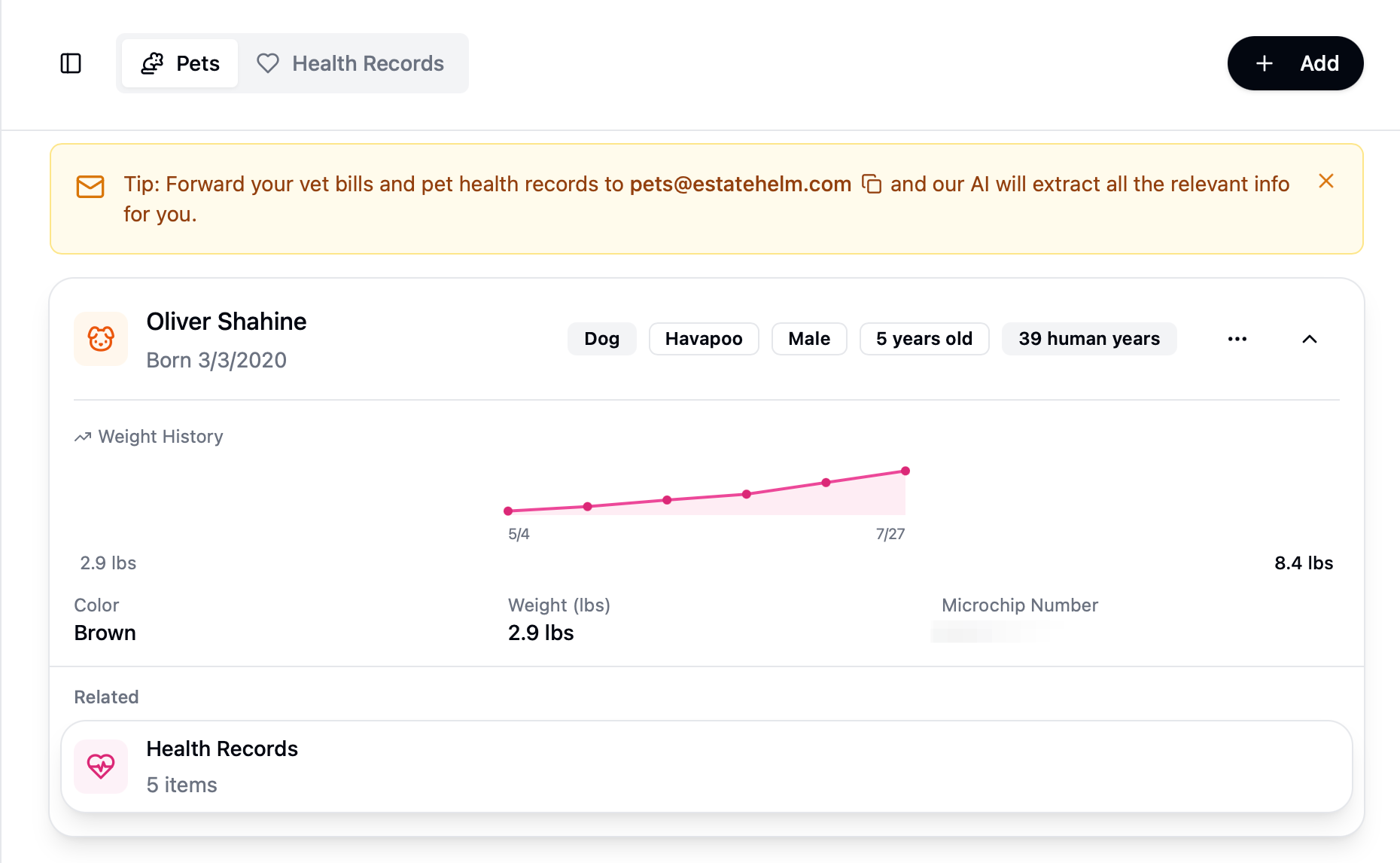
After forwarding all our Pet records for Oliver you can see this nice dashboard:
Emmanuel has added so many wonderful features, but the most important is that it has a feature called Continuity Protocol.
I think of EstateHelm as a Password Manager for after you are dead. Plus it’s a Household and Life manager.
Continuity Protocol
This is where things get interesting. The Continuity protocol enables my heirs and beneficiaries as well as Executors of our Estate to access anything we want AFTER I die. I set up rules for how this works. Continuity Protocol is essentially a “dead man switch”
The Continuity Protocol is a "dead man's switch" for your digital life. It monitors your activity and, after a period of inactivity you define, allows your designated beneficiaries to request access to specific information.
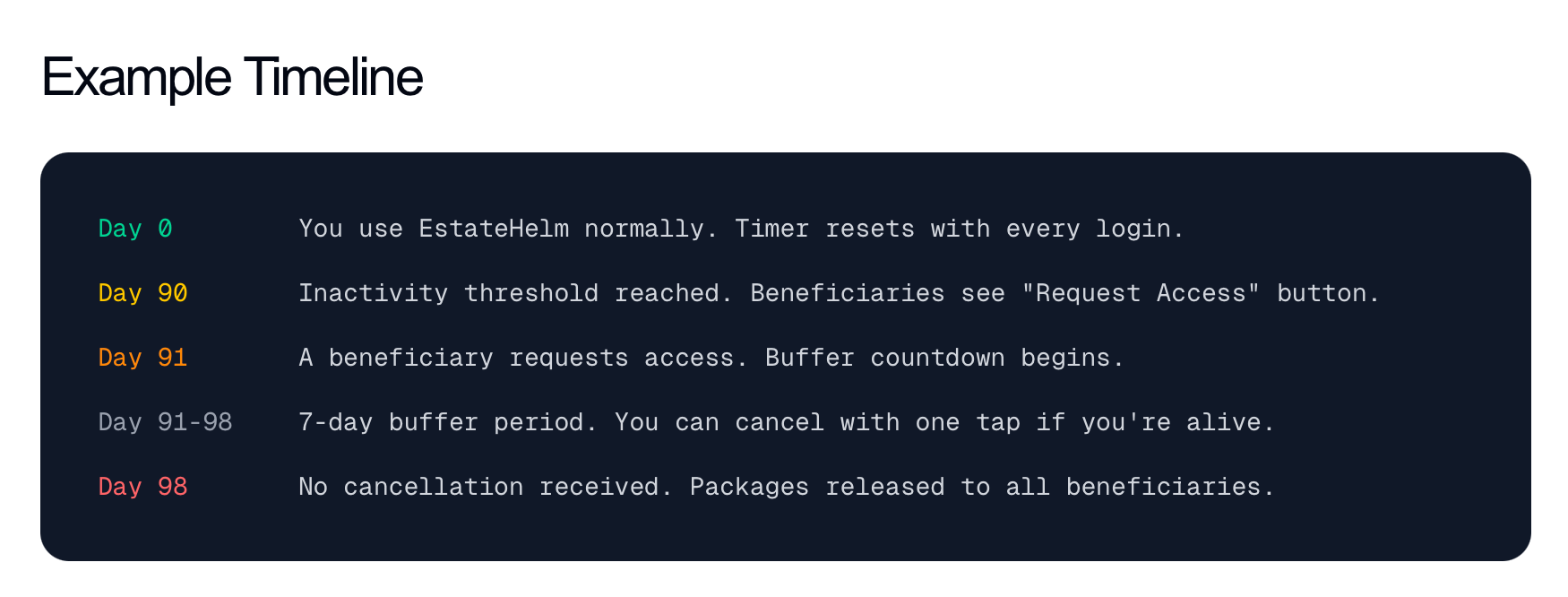
So think of it like this. I don’t log into EstateHelm for x days. My beneficieries can then request access to everything I have previously allowed them to have access to. Then after a window of time (giving me the opportunity to revoke their request) the gain access.
This is very similar to Apple’s Legacy Contacts feature (which you should set up!!!)
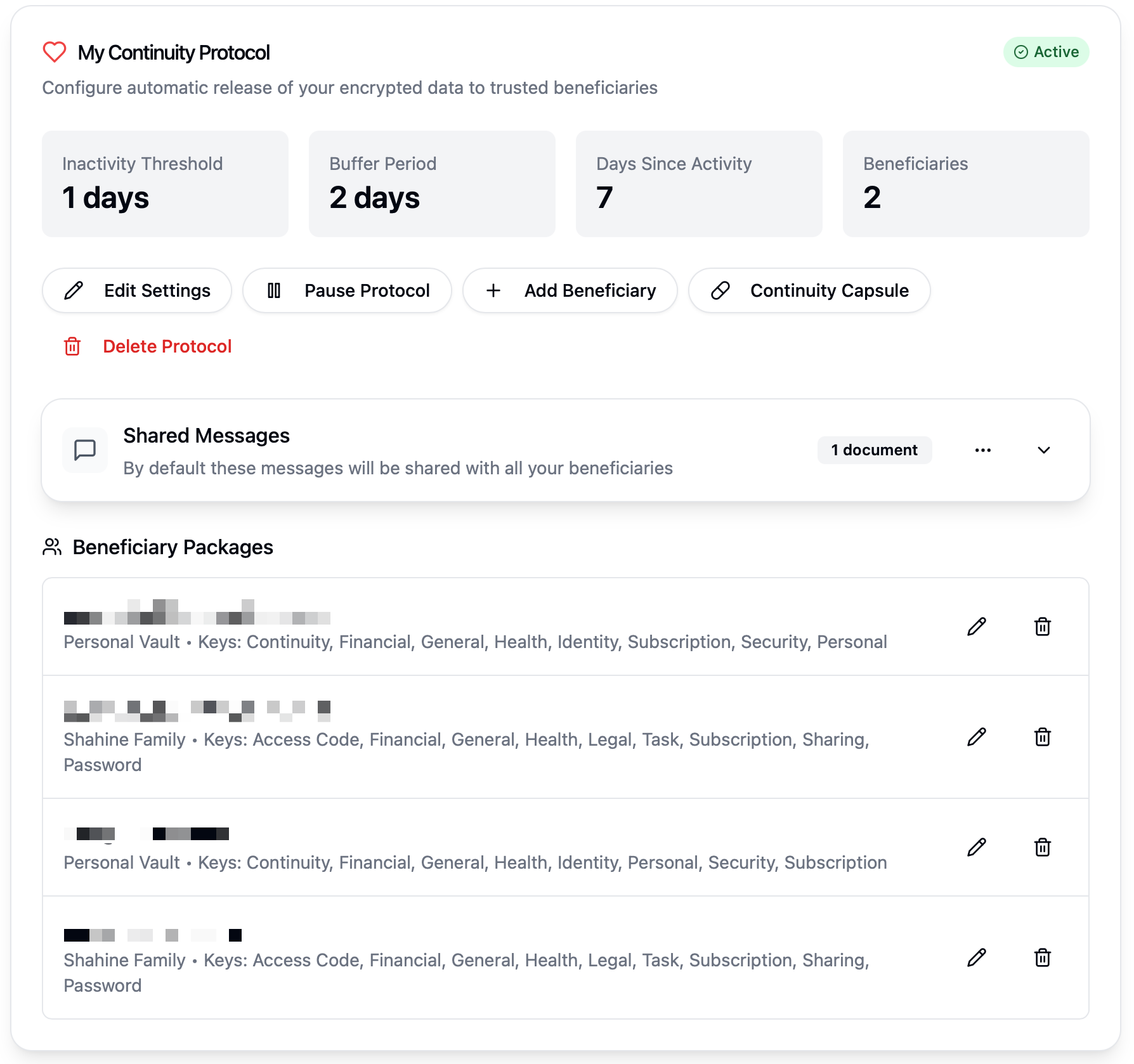
As part of the Continuity Protocol you can upload a document and or video with instructions for your heirs. You can also set up granular permissions for what your heirs will gain access to.
In my instructions I detail what I want my heirs to do and maintain when I die and how they can continue to operate the household and their lives with minimal interruptions.
A must have for any family
If you have young kids (or really any heirs or beneficiaries) and a household that many people are involved in managing, EstateHelm is a must have in your life.
I have been literally thinking about this problem for a decade and now here is a fantastic solution. It is quite time consuming to set it up for the first time, but you can do it little by little. There are some features such as receipt forwarding that you can use to speed up data entry. The benefits to doing this are that you start to gain a shared sense of what it means to operate the “Family Corporation” as I call it.
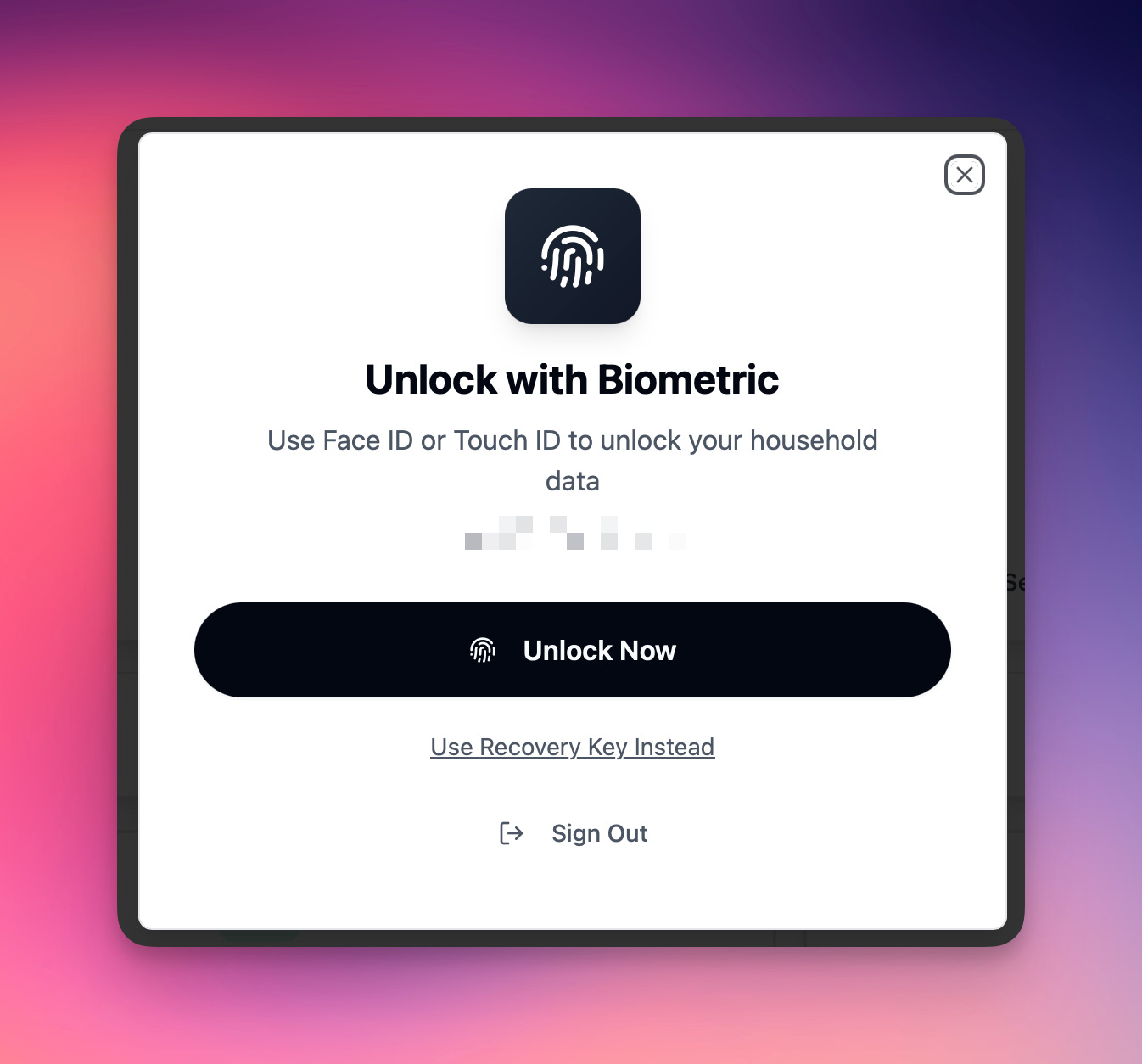
Again, it all comes down to security. The site is basically an encrypted blob protected by your Apple or Google ID, a secure code / password only you know and or your passkey.
You can also download a local copy and just keep it offline in your safe - so you have tons of options.
Now my family has a simple instruction to follow if anything happens to me. Go to EstateHelm.com, login with your credentials and request access to the Continuity Package.
EstateHelm has a free trial and then it’s $99/year for a single home or $199/year for an Estate Plan.